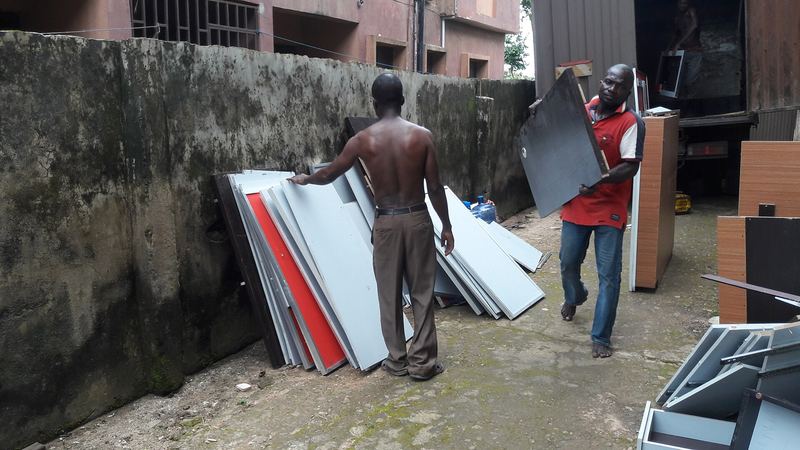
A small office has eight desktops, a rack with a switch, a router and a server in the corner, and everything is wired together with cables nobody has labelled for years. On Monday morning the new office needs to be running. The move itself is a few hours in a pickup van. Getting it all working again is where most of the time goes.
I write this as the person on our team who spends the most time around hardware. It is general advice, not a replacement for the manufacturer's guidance on your own equipment.
Back up before anything is unplugged
This comes first, before packing and before choosing a vehicle. Moving a drive in a vehicle is a risk to the data, even if the drive looks fine afterwards.
- Back up important files to a second place: another drive, a cloud service or both.
- Confirm that the backup can actually be opened, not just that it finished.
- Keep that backup separate from the equipment, ideally with you rather than in the vehicle.
Do this the day before, not on the morning of the move.
Document the setup before you pull the cables
Take photos of the back of every machine, the rack, the switch and the router. Label each cable at both ends with masking tape and a marker: which machine, which port. A phone photo and ten minutes of labelling can save a whole day of guessing.
Write down the network details you will need on the other side: router settings, internet provider contact, any fixed addresses and passwords. Keep this note off the equipment and with you.
Shut down properly and let it cool

Shut machines down through the software, not by pulling the plug. Unplug power and network cables. Let equipment that has been running for a long time cool before packing, because hot parts packed tightly can be damaged or can warp.
Remove the loose parts that can be lost: remotes, stands, adapters. Tape them to the device or put them in a labelled bag for each machine.
Pack each item for what it is
- Monitors: use the original box if you still have it. If not, wrap in soft padding, keep the screen from pressing against anything, and carry upright.
- Desktop towers: secure the side panel, wrap in padding and place in a carton with firm support on all sides.
- Laptops: carry them yourself, in a bag, rather than putting them in the vehicle.
- Switches and routers: wrap in padding, bag the cables with them and label.
- Servers and rack equipment: check the manufacturer's guidance. Heavy units should be lifted by two people, and hard drives should not be shaken or dropped.
- UPS and batteries: these are heavy and can leak. Follow the manufacturer's guidance and read our guide on moving solar panels and inverter batteries, which covers the same battery care.
Mark every carton with the contents and "this way up". Use the word "fragile", and not only on the top.
Ready to move?
Request a truck or van on Sphere
Choose your vehicle, propose your price, and verified drivers in Lagos, Abuja and Ibadan accept or send a counter-offer.
Load it last, and load it right
Electronics should go in last so they come out first, and they should not sit under anything heavy. Keep them in the cabin or the front of the load area, where there is less movement. Strap or wedge cartons so they cannot slide, and keep them away from the tailgate and from anything that leaks.
Rain is a risk. If the weather could turn, cover the load properly, and our guide on rainy season move in Lagos has more on keeping goods dry. For fragile loads in general, see how to pack fragile items.
Choose the vehicle
A small office of desktops and a rack often fits on a pickup van, listed on Sphere for loads up to 2,400kg. A larger office with furniture and equipment usually needs a truck, listed up to 27,000kg. If you are moving a whole office, see our guide on office relocation in Lagos.
Tell the driver that the load includes electronics, so they drive and park accordingly.
At the new space
Before you plug anything in, check the power supply and the sockets. Unstable power can damage equipment, so use surge protection where you can. Reconnect using your cable labels and photos, then start the server and the router first, then the computers. Test that files open and that everyone can print, browse and log in before the team starts working.
How to do this on Sphere
- Open the Sphere app and choose a pickup van or truck for your equipment.
- Add the pickup and drop-off, and describe the load: how many computers, monitors, racks and cartons.
- Say that it is electronic equipment and give the access at both ends.
- Propose your price. Nearby verified drivers accept it or send a counter-offer.
- Agree loading and offloading help with the driver before you accept an offer.
Explore office relocation in Lagos for more.
Frequently asked questions
Should I back up my data before moving computers?
Yes, always, and confirm the backup opens. Do it a day before, not on the morning of the move.
Can I leave cables connected to save time?
No. Disconnect them, but label both ends and photograph the setup so reconnecting is quick.
Should laptops go on the truck?
Carry them yourself in a bag. They are valuable, easy to lose and easy to damage.
Is a pickup van enough for a small office's IT equipment?
Often, yes, for a few desktops and a small rack. A larger office usually needs a truck.
How do I get a price?
You propose a price in the app and drivers accept or counter. Distance, vehicle, load, access and timing all affect it.
Request your move
Request a truck or van on Sphere
Choose your vehicle, propose your price, and verified drivers in Lagos, Abuja and Ibadan accept or send a counter-offer.
Get New Guides
Join Sphere's logistics insights list
New guides on moving homes, offices and business goods, sent to your inbox.